Example Design
Creating the Example Design for Versal Adaptive SoCs
- In the AMD Vivado™ Design Suite, create a new block design in IP integrator.
- Add the JESD204C IP core to the canvas.
- Select the JESD204C IP core and configure exactly as required.
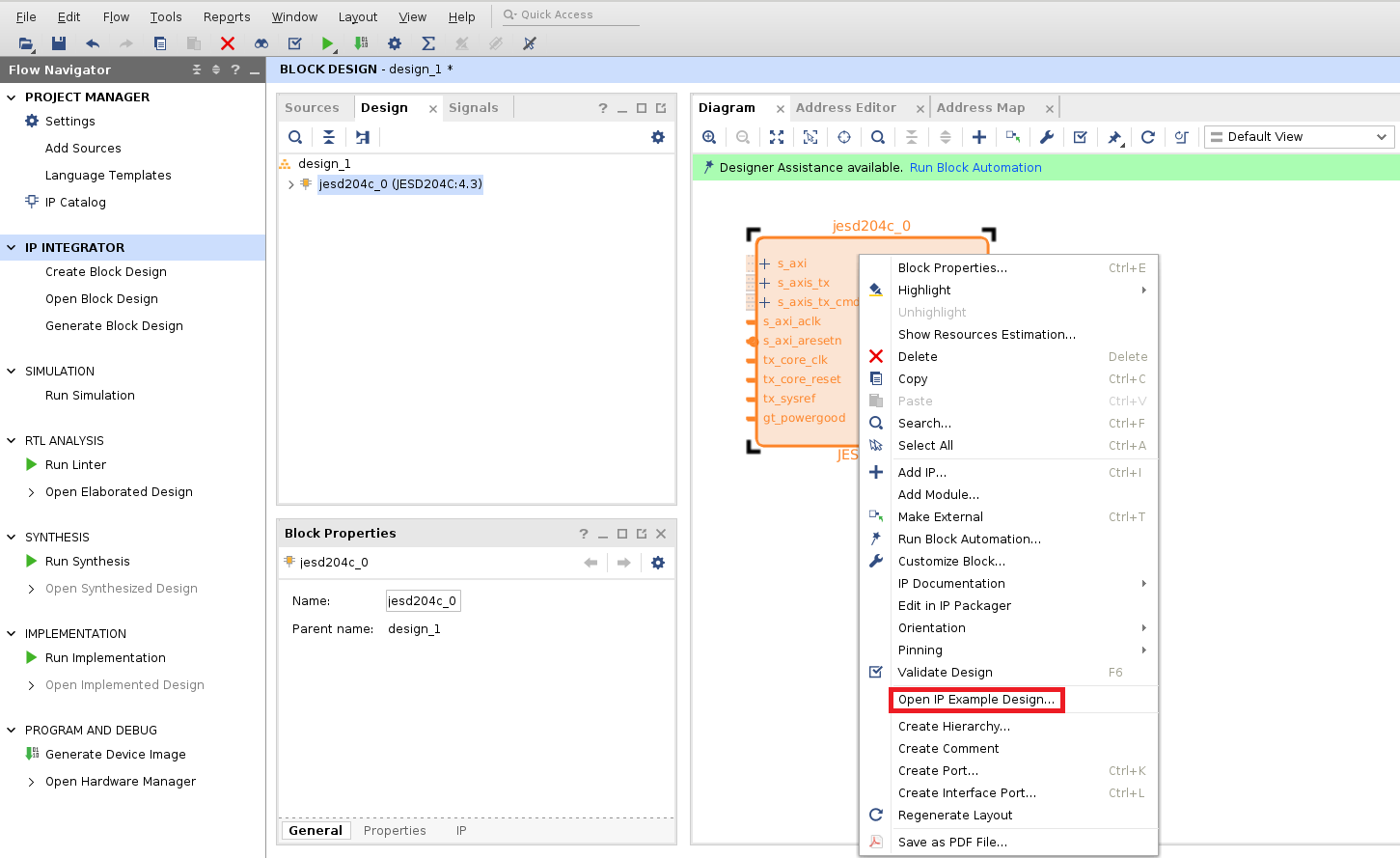
- Right-click the JESD204C IP, and select Open IP Example Design, from the drop-down menu as shown in the following figure. This opens a new Vivado project containing the complete RX or TX design example.
Creating the Example Design for AMD UltraScale+™ and AMD UltraScale™ Devices
- In Vivado, create a new empty project.
- Select the FPGA part that you wish to use.
- Using the Vivado IP catalog, select the JESD204C IP core and configure exactly as required.
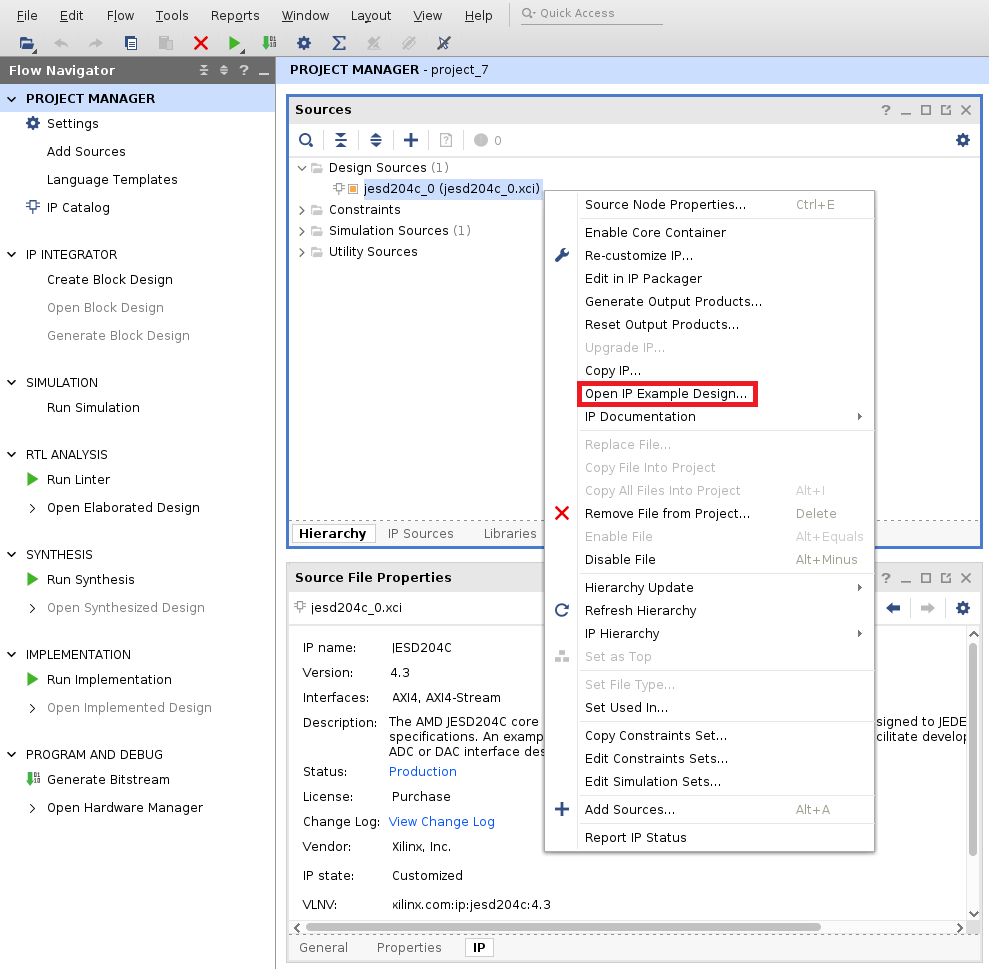
- Right-click the block under Design Sources, and select Open IP Example Design, from the drop-down menu as shown in the following figure. This opens a new Vivado project containing the complete RX or TX design example.
Example Design Overview
The following figures show an overview of the example design created for both a JESD204C TX and a JESD204C RX core. The design contains a full transmit and receive path example sharing a Versal Adaptive SoC Transceiver or JESD204_PHY core. The design will generate the JESD204C TX or RX core as configured in the IP catalog. A matching JESD204C TX or RX core will also be generated with settings to complement.
Main Blocks
The design is composed of the following main blocks:
- An AXI4-Lite interconnect block to provide multiplexed access to the TX, RX and PHY AXI4-Lite interfaces.
- A simple pattern generator that generates analog sample data and control bits.
- An example mapper that demonstrates mapping the analog sample data and control words into the JESD204C transport layer on the AXI4-Stream interface to drive the TX core. (Only in 64B66B cores.)
- A simple command word generator that passes commands to the TX core. These commands are aligned with the values from the data generator.
- A JESD204C TX core (configuration set in the JESD204C core IP catalog).
- A Versal Adaptive SoC Transceiver core, either GT Quad or GT Wizard subsystem. Configuration is set in the JESD204C core GUI GT Wizard Configuration tab.
- A JESD204_PHY core (configuration set in the JESD204C core GUI PHY Configuration tab).
- A JESD204C RX core (configuration set in the JESD204C core IP catalog).
- An example demapper that demonstrates the AXI4-Stream interface and the JESD204C transport layer back to analog samples and control words.
- A simple pattern checker that checks the received sample and control words for correctness. (Only in 64B66B cores.)
- A simple command word checker that checks the received command word for correctness.
Important Notes
Note: The example design is intended to be used as a starting point for your custom design. It does not cover all possible configuration options of the JESD204C IP core.
Note: The I/O clock buffers necessary for the example design to function as a complete FPGA design are instantiated in the top level wrapper that encapsulates this example design.